How do Gift Certificates work? When a gift certificate is purchased, the amount is assigned to the recipient as store credit. The recipient can use the credit all at once or multiple times to make purchases until the credit is exhausted. If the available store credit balance is less than the total amount of the order, the remaining amount can be paid using other payment methods.
Purchasing a Gift Certificate
Select the desired amount, enter the recipient name and email address and click “Add to Cart.” Verify the information is correct and click “Proceed to checkout,” where you will be asked Who and When you want the certificate to be sent.
- You can send it to yourself to hand-deliver later, or
- You can send it to them directly by selecting “Gift to someone else.
-
- Select either Deliver “Now” or a Date & Time (Mountain Time Zone) you want them to receive it.
- Enter their email address
- Select a delivery date
- Add an optional message
Sale!

Lastly, fill out the rest of the form and checkout. An email will be sent to you and the recipient with instructions on using the Gift Certificate.
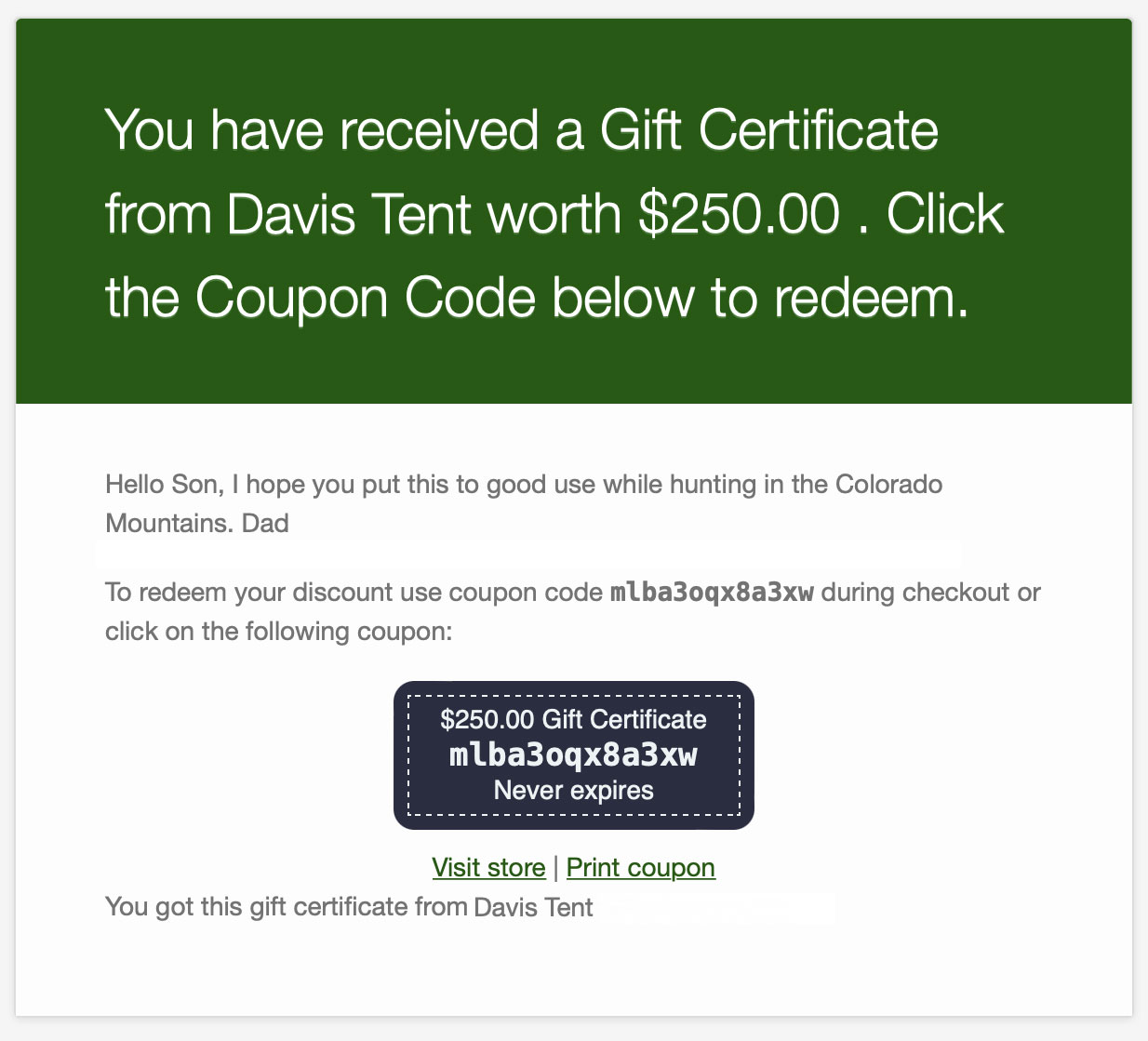
Redeeming a Gift Certificate
There are two ways to redeem a Gift Certificate.
- Click the Gift Certificate coupon in your email
- Enter the Gift Certificate code on the checkout page
Note: Gift Certificates are linked to the email address entered and can only be used with that email address. When checking out on the Billing page, enter the coupon and email address to see the updated total.
How to check my balance
If you have ordered from us before and have an account, you can go to My Account, Log into the system, and click Coupons. This area will show you all your Coupons & Gift Certificates and the amount of Store Credit Available.
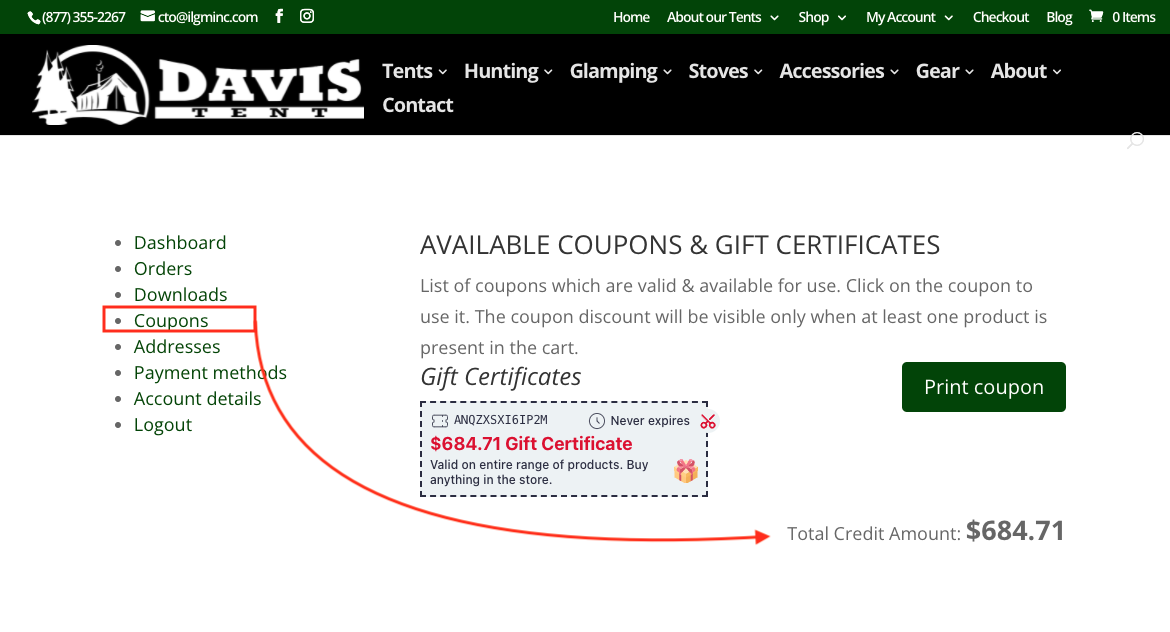
If you have not purchased from us before, you can go to My Account, Register your Gift Certificate Email Address, enter a Password, and click Register. Once registered, click Coupons, and this area will show you all your Coupons & Gift Certificates and the amount of Store Credit Available.